Free Scientific Calculator: The Honest Guide for Students, Engineers and Curious Minds
Choosing and using a free scientific calculator online — key features, pitfalls to avoid, and study tips from real classroom use.

For decades, a scientific calculator was a small plastic investment — twenty quid here, a school requirement there, a battery you only remembered to replace the night before an exam. Today, an equally capable free scientific calculator lives inside any modern browser. It costs nothing, weighs nothing, and runs identically on a phone, a tablet, a Chromebook, or a desktop. For most students and professionals, it has quietly become the default.
But not every “free” tool is worth your trust. This guide explains what a genuine free scientific calculator should offer, where it outperforms paid alternatives, and how to use one without picking up bad habits. If you’d rather start computing immediately, the Scientificalc scientific calculator is open, free forever, and ready in a single click.
What “scientific” actually means in a calculator
A basic calculator handles arithmetic — add, subtract, multiply, divide. A scientific calculator adds the maths that secondary school, university and most technical jobs depend on: trigonometry (sine, cosine, tangent and their inverses), logarithms (both natural and base-10), exponents and roots, parentheses with proper order of operations, scientific notation, and constants like π and e.
A good free scientific calculator gives you all of that without forcing you to memorise an obscure key sequence. You should be able to type sin(45) + log(100) - sqrt(2) as one expression and see the answer. If the tool you’re considering can’t do that cleanly, it’s a basic calculator wearing a costume.
Why a free scientific calculator beats most paid options
There’s a quiet assumption that “paid” means “better.” For scientific calculators, that assumption has stopped being true. The mathematics involved is well-understood and decades old; a browser-based engine handles it as accurately as any paid app. What free, online tools actually give up versus high-end paid software is symbolic algebra, 3D graphing, and exam lockdown modes. If you don’t need those — and most people don’t — free is genuinely better.
The advantages of going free and browser-based are concrete:
• No install. Open a tab and compute. No App Store account, no admin rights, nothing to clean up later.
• No version drift. The tool updates silently, so the calculator you use today is the most polished one available.
• Cross-device continuity. The same URL works on a phone on the bus, a laptop at home, and a school computer in the library.
• Zero risk. Try it for thirty seconds. If it doesn’t click, close the tab. No refund process, no uninstall.

Features a serious free scientific calculator must have
Before you commit a tool to your bookmarks bar, run it through these checks. Any calculator that fails them will eventually hurt you.
1. Expression input. You type the full calculation and see it on screen before evaluating. (3 + 5) * 2 - 4 / 2 should appear as you type it, not get committed digit-by-digit.
2. Correct order of operations. 2 + 3 * 4 must return 14, not 20. Spot-check any new calculator with this single expression.
3. Visible degree/radian toggle. A scientific calculator without a clear angle-mode switch is dangerous. sin(30) is 0.5 in degrees and roughly -0.988 in radians — wrong mode, wrong answer, silently. Our deeper walkthrough on trigonometry tips for students covers the full set of trig pitfalls.
4. Separate log and ln keys. log is base 10; ln is natural (base e). Confusing them is one of the most common errors in physics and chemistry — see our logarithms and exponents guide for examples and fixes.
5. Persistent history. Previous expressions and answers stay on screen so you can scroll back, click to reuse a result, or correct a typo without retyping everything.
6. Full keyboard support. Numbers, operators, parentheses, functions, Enter for equals. If you have to mouse-click every digit, the calculator is wasting your time. The Scientificalc scientific calculator was built around keyboard input from day one because that’s how real work happens.
7. Scientific notation handling. Inputs like 6.022e23 should be accepted directly. For a refresher on the notation itself, our scientific notation guide walks through the rules with examples.
Who actually needs a free scientific calculator
Secondary and college students. Almost every maths, physics, chemistry and economics syllabus from age 14 onwards expects scientific calculator fluency. A free tool means students who can’t afford an expensive Casio aren’t left behind on homework or revision. For exams that require a physical model, pair a free online calculator with the device covered in our Casio scientific calculator guide so muscle memory transfers cleanly.
University students. Engineering, statistics, finance and the sciences all assume daily access to trig, logs and exponentials. A free scientific calculator open in a tab beside your notes is faster than a physical device and infinitely faster than a paid app you forgot to install.
Working professionals. Engineers double-check field calculations. Analysts run quick log/power conversions. Architects estimate angles. None of these jobs need a full CAS package; they need a fast, accurate scientific calculator in a browser tab.
Hobbyists and curious adults. Astronomy enthusiasts, electronics tinkerers, board-game probability checkers — anyone who occasionally needs more than arithmetic benefits from having a free scientific calculator bookmarked.
Red flags: free scientific calculators to walk away from
Free does not always mean trustworthy. Skip any tool that:
• Hits you with a full-screen ad before you can press a button. Your attention is the price, and it’s far too steep.
• Demands an email, sign-up or download to unlock “full features.” A calculator is a utility, not a SaaS funnel.
• Hides the degree/radian indicator. If you have to dig through a menu to find it, the calculator was not designed by anyone who actually uses one.
• Returns 20 for 2 + 3 * 4. That’s left-to-right evaluation masquerading as a scientific calculator. Close the tab.
How to use a free scientific calculator without becoming dependent on it
The fear is reasonable: reach for a calculator too quickly and you stop developing the mental skills underneath. The fix isn’t to avoid the tool; it’s to use it deliberately.
Estimate before you press equals. Predict roughly what the answer should be. 312 * 19 is just under 312 * 20 = 6240. If the calculator returns 5928, that matches. If it returns 593, you fat-fingered a digit. This habit alone catches most mistakes.
Do the easy step in your head. If the problem includes “then divide by 2,” do it mentally. Save the calculator for the fiddly part. Mental arithmetic only stays sharp through use.
Use the history panel as a workspace. Chain calculations by clicking previous answers instead of retyping them. This eliminates rounding errors and gives you a visible audit trail when something looks wrong.
For more pitfalls and how to dodge them, see our piece on common calculator mistakes and our practical exam-day calculator tips.
Why Scientificalc is built to be the free scientific calculator you actually keep
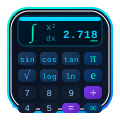
The Scientificalc scientific calculator exists because most free scientific calculators online are either too basic to trust or too cluttered to enjoy. We designed it around the way people actually work today: in a browser tab, with a keyboard, between other tasks. It accepts full expressions, respects order of operations, switches cleanly between degrees and radians, keeps a visible history, and supports the full scientific function set with no paywall or sign-up.
The keypad mirrors the layout of a physical scientific calculator, so muscle memory transfers in both directions — useful if you later sit an exam where only a physical device is allowed. There are no ads, no tracking dialogs, no upsells. Just the calculator and your work. Our how to use a scientific calculator walkthrough is a good companion piece if you’re newer to the function set.
Bookmark it, and stop paying for maths you can already do for free
A free scientific calculator that works well is one of the highest-leverage tools you can add to your browser. It costs nothing, follows you across devices, and handles everything from a homework problem to a quick engineering sanity check. Paid software still has its niches, but for the daily flow of trigonometry, logarithms, exponents and roots, a polished free tool matches or beats it.
Open the Scientificalc scientific calculator, try one real calculation from today’s study or work, and add it to your bookmarks bar. Browse more guides on the Scientificalc blog — from picking the best scientific calculator for 2026 to using an online scientific calculator effectively. The best calculator is the one that’s always one tab away — and a great free scientific calculator is exactly that.
Try it yourself
Open the Scientificalc scientific calculator and work through the examples above — no install, no sign-up.